Smart crop
Thumbnails cropped to the interesting part of a picture, as smartcrop.js does: edges, skin tones and strong colours scored, the best window of the shape you ask found, and the crop resized to the exact size.
Version 1.0.0 · 3 functions · 2 crates
Functions
What use smart_crop.qwer gives a program, with the types Quillo sees. To take only some, or under other names: use smart_crop_box, smart_crop from smart_crop (Quillo 0.6).
smart_crop_box(path: str, width: int, height: int, min_scale: float) → anyor an errorThe best crop of the picture at path for a thumbnail width × height (only their shape counts here): { x, y, width, height, score } in the picture's own pixels. min_scale (0.5 to 1; 1 keeps as much of the picture as the shape allows) lets it zoom in on the subject.
smart_crop(path: str, out_path: str, width: int, height: int, min_scale: float) → anyor an errorThe picture cropped to its interesting part and resized to exactly width × height, saved at out_path (PNG, JPEG or WebP by its extension; folders made): { path, crop: { x, y, width, height } }.
smart_crop_boxes(path: str, shapes: list) → listor an errorThe best crops for several shapes at once ([[1, 1], [16, 9], [4, 5]]): a list of { shape, x, y, width, height }, for an image's social and card sizes.
Get it
$ quillo install smart_crop # smart_crop.qwer into this folder$ quillo install smart_crop --example # and its example, smart_crop.qweOr with curl:
$ curl -O https://quillolang.org/plugins/files/smart_crop.qwer$ curl -O https://quillolang.org/plugins/files/smart_crop.qwe$ curl -O https://quillolang.org/plugins/files/smart_crop_sample.pngThen, in your program, all of it or only what you call:
use smart_crop.qweruse smart_crop_box, smart_crop from smart_crop // Quillo 0.6: only theseIt uses these crates, which cargo fetches the first time the plugin is built:
image = { version = "0.25", default-features = false, features = ["png", "jpeg", "webp", "gif"] }serde_json = { version = "1", features = ["preserve_order"] }Example
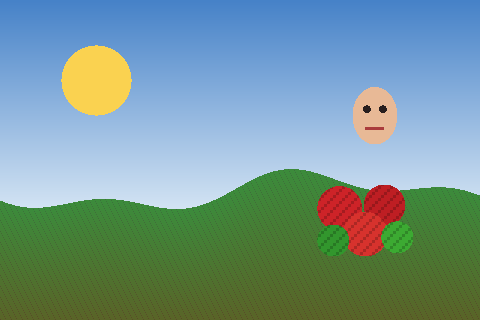
// A recipe site's photos cut for every place they appear: square cards, a 16:9 banner and portrait stories, each on the interesting part and not just the middle.//// quillo run smart_crop.qwe then open http://localhost:8080/cropsuse "smart_crop.qwer"let PHOTO = "smart_crop_sample.png"route GET /crops { { square: smart_crop_box(PHOTO, 200, 200, 1.0)?, closer: smart_crop_box(PHOTO, 200, 200, 0.5)?, shapes: smart_crop_boxes(PHOTO, [[1, 1], [16, 9], [4, 5]])?, made: smart_crop(PHOTO, "data/smart_crop/card.jpg", 160, 160, 1.0)?, }}route GET /card.jpg { smart_crop(PHOTO, "data/smart_crop/card.jpg", 160, 160, 1.0)? file("data/smart_crop/card.jpg")}route GET /face.png { smart_crop(PHOTO, "data/smart_crop/face.png", 120, 120, 0.4)? file("data/smart_crop/face.png")}$ quillo run smart_crop.qwe$ curl 'localhost:8080/crops'$ curl 'localhost:8080/card.jpg'Source
//! Thumbnails cropped to the interesting part of a picture, as smartcrop.js does: edges, skin tones and saturated colours scored, the best window of the shape you ask found, and the crop resized to the exact size; for avatars, cards and social sizes from any photo.//! version: 1.0.0//!//! [dependencies]//! image = { version = "0.25", default-features = false, features = ["png", "jpeg", "webp", "gif"] }//! serde_json = { version = "1", features = ["preserve_order"] }use image::imageops::FilterType;use image::{DynamicImage, GenericImageView};use serde_json::{json, Value};const ANALYSE: u32 = 256;struct Integral { w: usize, s: Vec<f64> }impl Integral { fn new(w: usize, h: usize, v: &[f64]) -> Integral { let mut s = vec![0.0; (w + 1) * (h + 1)]; for y in 0..h { let mut row = 0.0; for x in 0..w { row += v[y * w + x]; s[(y + 1) * (w + 1) + x + 1] = s[y * (w + 1) + x + 1] + row; } } Integral { w, s } } fn sum(&self, x0: usize, y0: usize, x1: usize, y1: usize) -> f64 { let w = self.w + 1; self.s[y1 * w + x1] - self.s[y0 * w + x1] - self.s[y1 * w + x0] + self.s[y0 * w + x0] }}// How interesting each pixel of a small copy is: edges, skin and saturated colour.fn features(img: &DynamicImage) -> (usize, usize, Vec<f64>) { let rgb = img.to_rgb8(); let (w, h) = (rgb.width() as usize, rgb.height() as usize); let lum: Vec<f64> = rgb.pixels().map(|p| (0.2126 * p[0] as f64 + 0.7152 * p[1] as f64 + 0.0722 * p[2] as f64) / 255.0).collect(); let mut out = vec![0.0; w * h]; for y in 0..h { for x in 0..w { let i = y * w + x; let c = lum[i]; let n = |dx: i64, dy: i64| { let (nx, ny) = ((x as i64 + dx).clamp(0, w as i64 - 1) as usize, (y as i64 + dy).clamp(0, h as i64 - 1) as usize); lum[ny * w + nx] }; let edge = (4.0 * c - n(-1, 0) - n(1, 0) - n(0, -1) - n(0, 1)).abs(); let p = rgb.get_pixel(x as u32, y as u32); let (r, g, b) = (p[0] as f64 / 255.0, p[1] as f64 / 255.0, p[2] as f64 / 255.0); let mag = (r * r + g * g + b * b).sqrt().max(1e-6); // Distance from a skin tone's direction (smartcrop.js's [0.78, 0.57, 0.44]). let d = ((r / mag - 0.78).powi(2) + (g / mag - 0.57).powi(2) + (b / mag - 0.44).powi(2)).sqrt(); let skin = if c > 0.2 && c < 1.0 && d < 0.3 { (1.0 - d / 0.3) * 1.0 } else { 0.0 }; let (mx, mn) = (r.max(g).max(b), r.min(g).min(b)); let l = (mx + mn) / 2.0; let sat = if mx == mn { 0.0 } else if l > 0.5 { (mx - mn) / (2.0 - mx - mn) } else { (mx - mn) / (mx + mn) }; let satf = if sat > 0.4 && c > 0.05 && c < 0.9 { (sat - 0.4) / 0.6 } else { 0.0 }; out[i] = edge * 4.0 + skin * 1.8 + satf * 0.3; } } (w, h, out)}fn best_box(path: &str, tw: f64, th: f64, min_scale: f64) -> Result<(DynamicImage, [u32; 4], f64), String> { if tw <= 0.0 || th <= 0.0 { return Err("the width and height are above 0".into()) } let img = image::open(path).map_err(|e| format!("{}: {}", path, e))?; let (ow, oh) = img.dimensions(); let small = img.thumbnail(ANALYSE, ANALYSE); let (w, h, f) = features(&small); let k = ow as f64 / w as f64; let integ = Integral::new(w, h, &f); let total = integ.sum(0, 0, w, h).max(1e-9); // The largest window of the asked shape, then smaller ones down to `min_scale`. let ratio = tw / th; let (mut cw, mut ch) = (w as f64, w as f64 / ratio); if ch > h as f64 { ch = h as f64; cw = h as f64 * ratio } let mut best = (0.0f64, [0usize; 4]); let mut scale = 1.0; while scale >= min_scale - 1e-9 { let (sw, sh) = (((cw * scale).round() as usize).max(1).min(w), ((ch * scale).round() as usize).max(1).min(h)); let step = ((sw.min(sh) / 16).max(1)).min(8); let mut y = 0; while y + sh <= h { let mut x = 0; while x + sw <= w { let all = integ.sum(x, y, x + sw, y + sh); let (ix, iy) = (sw / 6, sh / 6); let inner = integ.sum(x + ix, y + iy, x + sw - ix, y + sh - iy); // How much of what matters the crop holds for its size (as smartcrop.js scores), its middle counting most. let score = (inner + 0.5 * (all - inner)) / (sw * sh) as f64 * (w * h) as f64 / total; if score > best.0 { best = (score, [x, y, sw, sh]) } x += step; } y += step; } scale -= 0.1; } let [x, y, sw, sh] = best.1; let bx = ((x as f64 * k).round() as u32).min(ow - 1); let by = ((y as f64 * k).round() as u32).min(oh - 1); let bw = ((sw as f64 * k).round() as u32).min(ow - bx).max(1); let bh = ((sh as f64 * k).round() as u32).min(oh - by).max(1); Ok((img, [bx, by, bw, bh], best.0))}/// The best crop of the picture at `path` for a thumbnail `width` × `height` (only their shape counts here): `{ x, y, width, height, score }` in the picture's own pixels. `min_scale` (0.5 to 1; 1 keeps as much of the picture as the shape allows) lets it zoom in on the subject.pub fn smart_crop_box(path: &str, width: i64, height: i64, min_scale: f64) -> Result<Value, String> { let (_, b, s) = best_box(path, width as f64, height as f64, min_scale.clamp(0.3, 1.0))?; Ok(json!({ "x": b[0], "y": b[1], "width": b[2], "height": b[3], "score": (s * 1000.0).round() / 1000.0 }))}/// The picture cropped to its interesting part and resized to exactly `width` × `height`, saved at `out_path` (PNG, JPEG or WebP by its extension; folders made): `{ path, crop: { x, y, width, height } }`.pub fn smart_crop(path: &str, out_path: &str, width: i64, height: i64, min_scale: f64) -> Result<Value, String> { if width <= 0 || height <= 0 || width > 10_000 || height > 10_000 { return Err("width and height are 1 to 10000 pixels".into()) } let (img, b, _) = best_box(path, width as f64, height as f64, min_scale.clamp(0.3, 1.0))?; let out = img.crop_imm(b[0], b[1], b[2], b[3]).resize_exact(width as u32, height as u32, FilterType::Lanczos3); if let Some(d) = std::path::Path::new(out_path).parent().filter(|d| !d.as_os_str().is_empty()) { std::fs::create_dir_all(d).map_err(|e| e.to_string())?; } let lower = out_path.to_lowercase(); let res = if lower.ends_with(".jpg") || lower.ends_with(".jpeg") { DynamicImage::ImageRgb8(out.to_rgb8()).save(out_path) } else { out.save(out_path) }; res.map_err(|e| format!("{}: {}", out_path, e))?; Ok(json!({ "path": out_path, "crop": { "x": b[0], "y": b[1], "width": b[2], "height": b[3] } }))}/// The best crops for several shapes at once (`[[1, 1], [16, 9], [4, 5]]`): a list of `{ shape, x, y, width, height }`, for an image's social and card sizes.pub fn smart_crop_boxes(path: &str, shapes: Vec<Vec<i64>>) -> Result<Vec<Value>, String> { shapes.iter().map(|s| { if s.len() != 2 { return Err("each shape is [width, height]".to_string()) } let (_, b, _) = best_box(path, s[0] as f64, s[1] as f64, 1.0)?; Ok(json!({ "shape": format!("{}:{}", s[0], s[1]), "x": b[0], "y": b[1], "width": b[2], "height": b[3] })) }).collect()}Related
caption.qwer · 1.0.0Text drawn on pictures with a built-in font: captions at the top, middle or bottom, wrapped to fit, with an outline or a band behind them, meme-style top and bottom lines, and text measured before drawing.7 views · 7 downloadsCollage collage.qwer · 1.0.0Several pictures made into one: a grid of equal cells with gaps, or justified rows that keep each picture's shape, on your background.7 views · 7 downloadsImage tiles image_tiles.qwer · 1.0.0Pictures cut into tiles for zoomable viewers, puzzles or a grid of posts, and many pictures made into one contact sheet of thumbnails.8 views · 8 downloadsEXIF exif.qwer · 1.0.0A photo's EXIF: camera and lens, when it was taken, where (GPS), exposure and orientation, from JPEG, HEIC, PNG and WebP.7 views · 5 downloadsEXIF strip exif_strip.qwer · 1.0.0Photos made safe to publish: GPS, camera and other EXIF, XMP, IPTC and comments taken out of JPEG, PNG and WebP, without re-encoding.6 views · 7 downloadsImage edits image_ops.qwer · 1.0.0Crop, rotate, flip, grayscale, blur, and phone photos turned upright by their EXIF orientation, saved as JPEG, PNG, WebP or GIF.7 views · 7 downloadsThread 0 posts
On Smart crop: questions, tips, corrections, and code that uses it.
No posts yet. The first one opens the thread.