QR and barcode reader
QR codes and barcodes read from pictures: QR, Data Matrix, PDF417, EAN-13, UPC-A, Code 128 and more, for tickets, parcels and products.
Version 1.0.0 · 3 functions · 2 crates
Functions
What use qr_read.qwer gives a program, with the types Quillo sees. To take only some, or under other names: use qr_read, qr_read_any from qr_read (Quillo 0.6).
qr_read(path: str) → stror an errorThe text of the QR code in the picture (PNG, JPEG, WebP, GIF), or an error when there is none it can read.
qr_read_any(path: str) → anyor an errorThe first code of any kind in the picture: { text, format, points }, format like "qr", "ean13", "upca", "code128", "datamatrix"; points the corners or ends it was found at, in pixels. Null when there is none.
qr_read_all(path: str) → listor an errorEvery code in the picture, each { text, format, points }: a sheet of labels, a box with several barcodes. Empty when there is none.
Get it
$ quillo install qr_read # qr_read.qwer into this folder$ quillo install qr_read --example # and its example, qr_read.qweOr with curl:
$ curl -O https://quillolang.org/plugins/files/qr_read.qwer$ curl -O https://quillolang.org/plugins/files/qr_read.qwe$ curl -O https://quillolang.org/plugins/files/qr_read_sample.pngThen, in your program, all of it or only what you call:
use qr_read.qweruse qr_read, qr_read_any from qr_read // Quillo 0.6: only theseIt uses these crates, which cargo fetches the first time the plugin is built:
rxing = { version = "0.7", default-features = false }image = { version = "0.25", default-features = false, features = ["png", "jpeg", "webp", "gif"] }Example
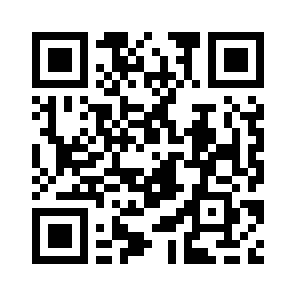
// A ticket scanner: a photo of a QR code sent from a phone is read, and its link checked.//// quillo run qr_read.qwe then open http://localhost:8080/scanuse "qr_read.qwer"route GET /scan = { text: qr_read("qr_read_sample.png")?, code: qr_read_any("qr_read_sample.png")? }route GET /all = qr_read_all("qr_read_sample.png")? | map((c) => `${c.format}: ${c.text}`)route POST /scan { let f = request.files.photo ?? reply 400 "Send a photo of the code" let path = save_upload(f, `data/scans/${uuid()}`)? let code = qr_read_any(path) delete_file(path) if is_err(code) || code == null { reply 422 "No code found: try again closer, with more light" } { text: code.text, format: code.format, ours: starts_with(code.text, "https://quillolang.org/") }}$ quillo run qr_read.qwe$ curl 'localhost:8080/scan'$ curl 'localhost:8080/all'Source
//! QR codes and barcodes read from pictures: QR, Data Matrix, Aztec, PDF417, EAN-13, EAN-8, UPC-A, UPC-E, Code 128, Code 39, ITF and more, for tickets, parcels and products.//! version: 1.0.0//!//! [dependencies]//! rxing = { version = "0.7", default-features = false }//! image = { version = "0.25", default-features = false, features = ["png", "jpeg", "webp", "gif"] }use rxing::{BarcodeFormat, DecodeHints, RXingResult};use serde_json::{json, Value};use std::collections::HashSet;const MAX_SIDE: u32 = 3000;// The picture in grey, made smaller when it is very large (codes in photos read fine at 3000 px).fn luma(path: &str) -> Result<(Vec<u8>, u32, u32), String> { let mut r = image::ImageReader::open(path).map_err(|e| format!("{}: {}", path, e))?.with_guessed_format().map_err(|e| format!("{}: {}", path, e))?; let mut l = image::Limits::default(); l.max_image_width = Some(12_000); l.max_image_height = Some(12_000); l.max_alloc = Some(512 * 1024 * 1024); r.limits(l); let mut img = r.decode().map_err(|e| format!("{}: {}", path, e))?; if img.width().max(img.height()) > MAX_SIDE { img = img.resize(MAX_SIDE, MAX_SIDE, image::imageops::FilterType::Triangle); } let g = img.to_luma8(); let (w, h) = g.dimensions(); Ok((g.into_raw(), w, h))}fn format_name(f: &BarcodeFormat) -> String { match f { BarcodeFormat::QR_CODE => "qr".into(), f => f.to_string().replace(' ', ""), }}fn record(r: &RXingResult) -> Value { let pts: Vec<Value> = r.getPoints().iter().map(|p| json!([p.x.round(), p.y.round()])).collect(); json!({ "text": r.getText(), "format": format_name(r.getBarcodeFormat()), "points": pts })}fn hints(formats: Option<HashSet<BarcodeFormat>>) -> DecodeHints { let mut h = DecodeHints::default(); h.TryHarder = Some(true); h.PossibleFormats = formats; h}fn catch<T>(f: impl FnOnce() -> T + std::panic::UnwindSafe) -> Result<T, String> { std::panic::catch_unwind(f).map_err(|_| "the picture could not be read".to_string())}/// The text of the QR code in the picture (PNG, JPEG, WebP, GIF), or an error when there is none it can read.pub fn qr_read(path: &str) -> Result<String, String> { let (l, w, h) = luma(path)?; let r = catch(move || rxing::helpers::detect_in_luma_with_hints(l, w, h, None, &mut hints(Some(HashSet::from([BarcodeFormat::QR_CODE])))))?; r.map(|r| r.getText().to_string()).map_err(|_| format!("{}: no QR code found", path))}/// The first code of any kind in the picture: `{ text, format, points }`, `format` like "qr", "ean13", "upca", "code128", "datamatrix";/// `points` the corners or ends it was found at, in pixels. Null when there is none.pub fn qr_read_any(path: &str) -> Result<Value, String> { let (l, w, h) = luma(path)?; let r = catch(move || rxing::helpers::detect_in_luma_with_hints(l, w, h, None, &mut hints(None)))?; Ok(r.map(|r| record(&r)).unwrap_or(Value::Null))}/// Every code in the picture, each `{ text, format, points }`: a sheet of labels, a box with several barcodes. Empty when there is none.pub fn qr_read_all(path: &str) -> Result<Vec<Value>, String> { let (l, w, h) = luma(path)?; let r = catch(move || rxing::helpers::detect_multiple_in_luma_with_hints(l, w, h, &mut hints(None)))?; Ok(r.map(|v| v.iter().take(100).map(record).collect()).unwrap_or_default())}Related
barcode.qwer · 1.0.0EAN-13, EAN-8, UPC-A, Code 128 and Code 39 barcodes as SVG or PNG, with the digits underneath and check digits worked out.6 views · 5 downloadsEXIF exif.qwer · 1.0.0A photo's EXIF: camera and lens, when it was taken, where (GPS), exposure and orientation, from JPEG, HEIC, PNG and WebP.7 views · 5 downloadsEXIF strip exif_strip.qwer · 1.0.0Photos made safe to publish: GPS, camera and other EXIF, XMP, IPTC and comments taken out of JPEG, PNG and WebP, without re-encoding.6 views · 7 downloadsImage edits image_ops.qwer · 1.0.0Crop, rotate, flip, grayscale, blur, and phone photos turned upright by their EXIF orientation, saved as JPEG, PNG, WebP or GIF.7 views · 7 downloadsImage hash image_hash.qwer · 1.0.0Perceptual hashes of pictures and how far apart two are, to find near-duplicates among uploads or a photo library.7 views · 6 downloadsOCR ocr.qwer · 1.0.0Text read from pictures in pure Rust: photos and scans of documents, receipts, labels and screenshots to plain text, row by row or line by line with boxes, parts of the page read by range (pixels or percentages), several form fields at once, only the characters you allow, and phone photos turned upright first.13 views · 9 downloadsThread 0 posts
On QR and barcode reader: questions, tips, corrections, and code that uses it.
No posts yet. The first one opens the thread.